Google Sheets & Excel · Instant access after checkout · Pay once
Get the kit
Co-parenting documentation kit

Every exchange, call and expense, in one clear record.

A ready-made spreadsheet for shared custody: a factual timeline of what happened, and where the proof is saved. Log it in 30 seconds, and the totals, colors and summary report build themselves.

✓Late, cancelled and missed exchanges counted for you
✓Parenting time calendar that fills from your schedule
✓A column on every log for the screenshot, email or receipt
✓One printable summary for your attorney or mediator
Instant access · One-time payment · No subscription
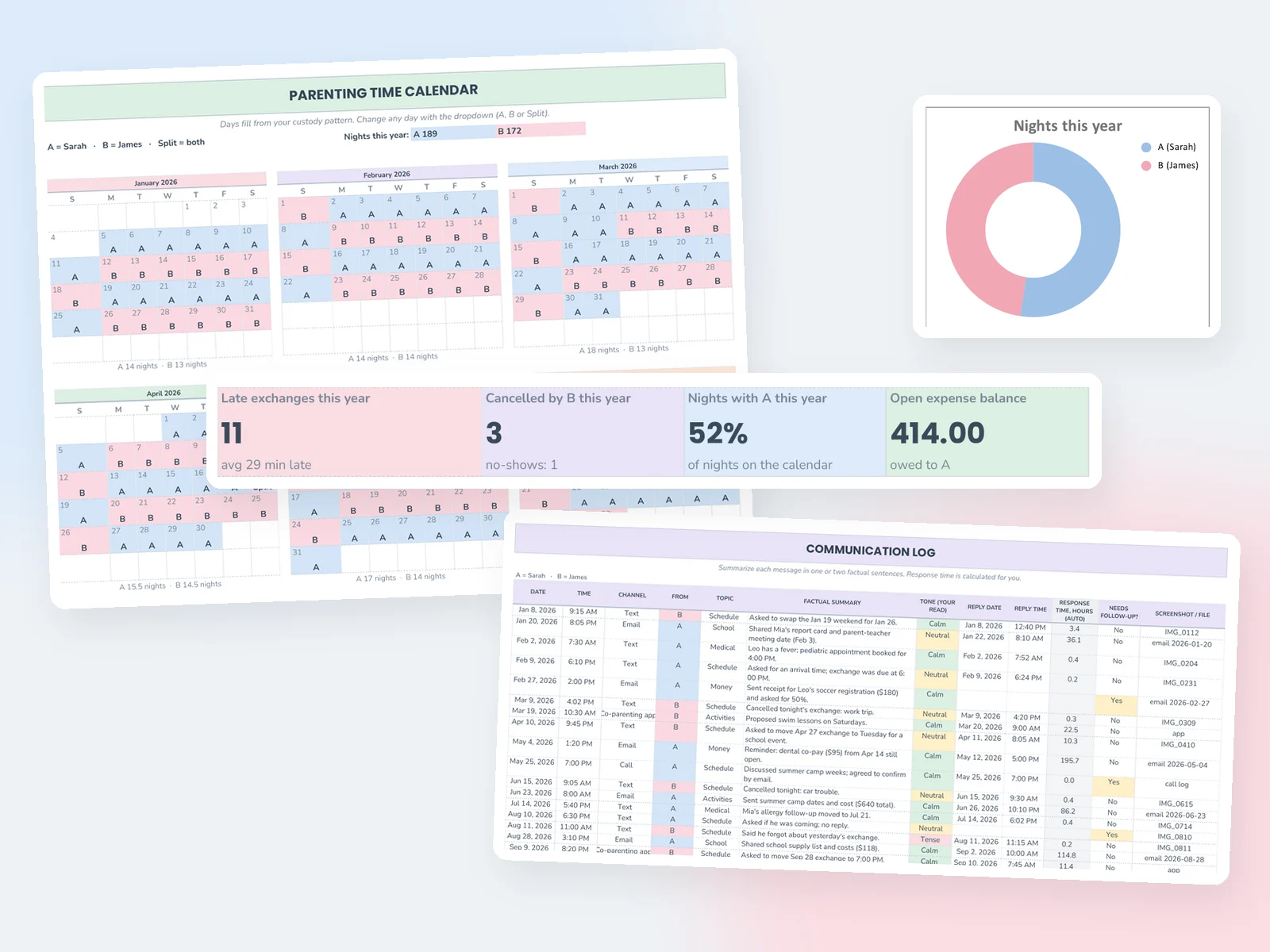
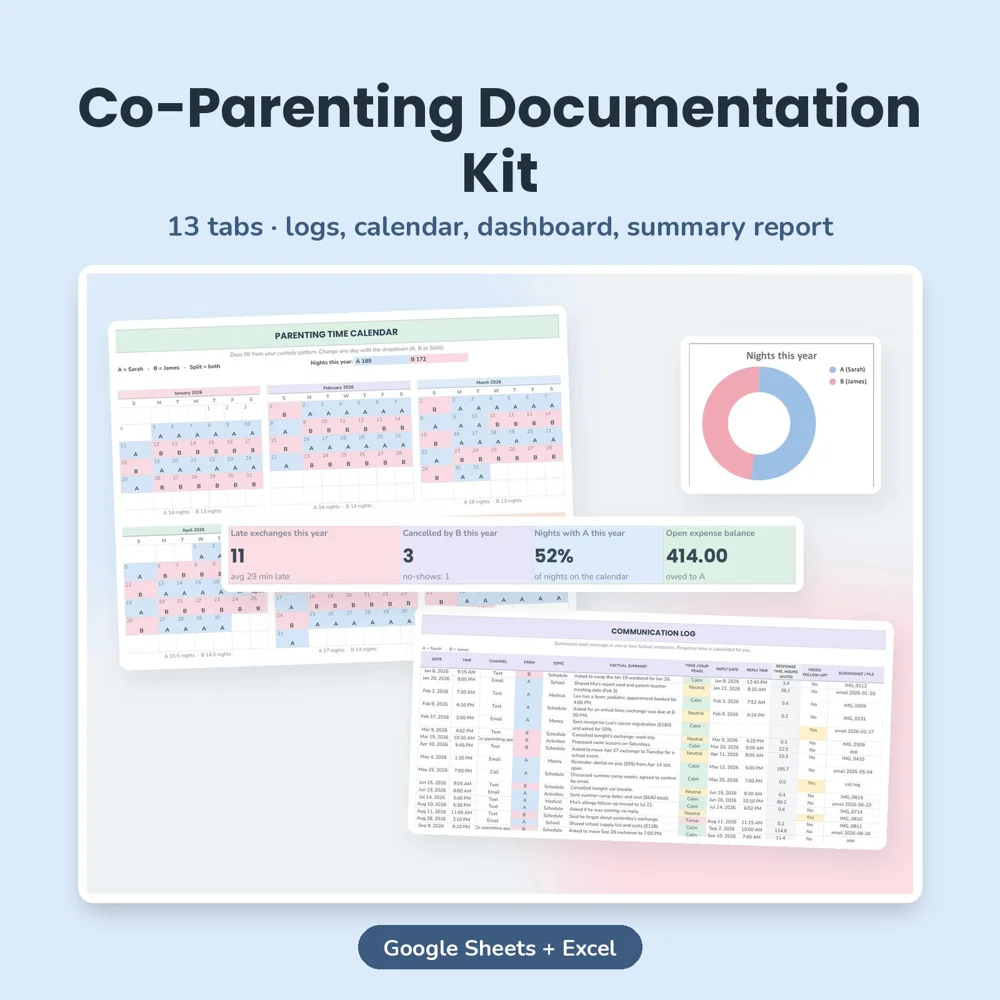
Screens from the kit: parenting time calendar, dashboard numbers, nights chart and communication log
★★★★★ 7,000+ orders from Luna Templates
Google Sheets + Excel
13 tabs, ready to use
Filled-in example + blank copy
Works on your phone

Memory isn't a record.

Screenshots everywhere
Texts in one app, emails in another, photos of receipts in your camera roll.
Dates you half-remember
Was it the 3rd or the 10th? Forty minutes late, or an hour?
Costs nobody keeps track of
Co-pays, school trips and camp fees, and who still owes what.
Proof you can't find
The text is somewhere in 2,000 messages. Which date? Which app?

Facts only: dates, times, amounts and where the original text or receipt is saved. No opinions, no drama.

What's inside

13 tabs. One calm, factual record.

Parenting time calendar with days colored by parent

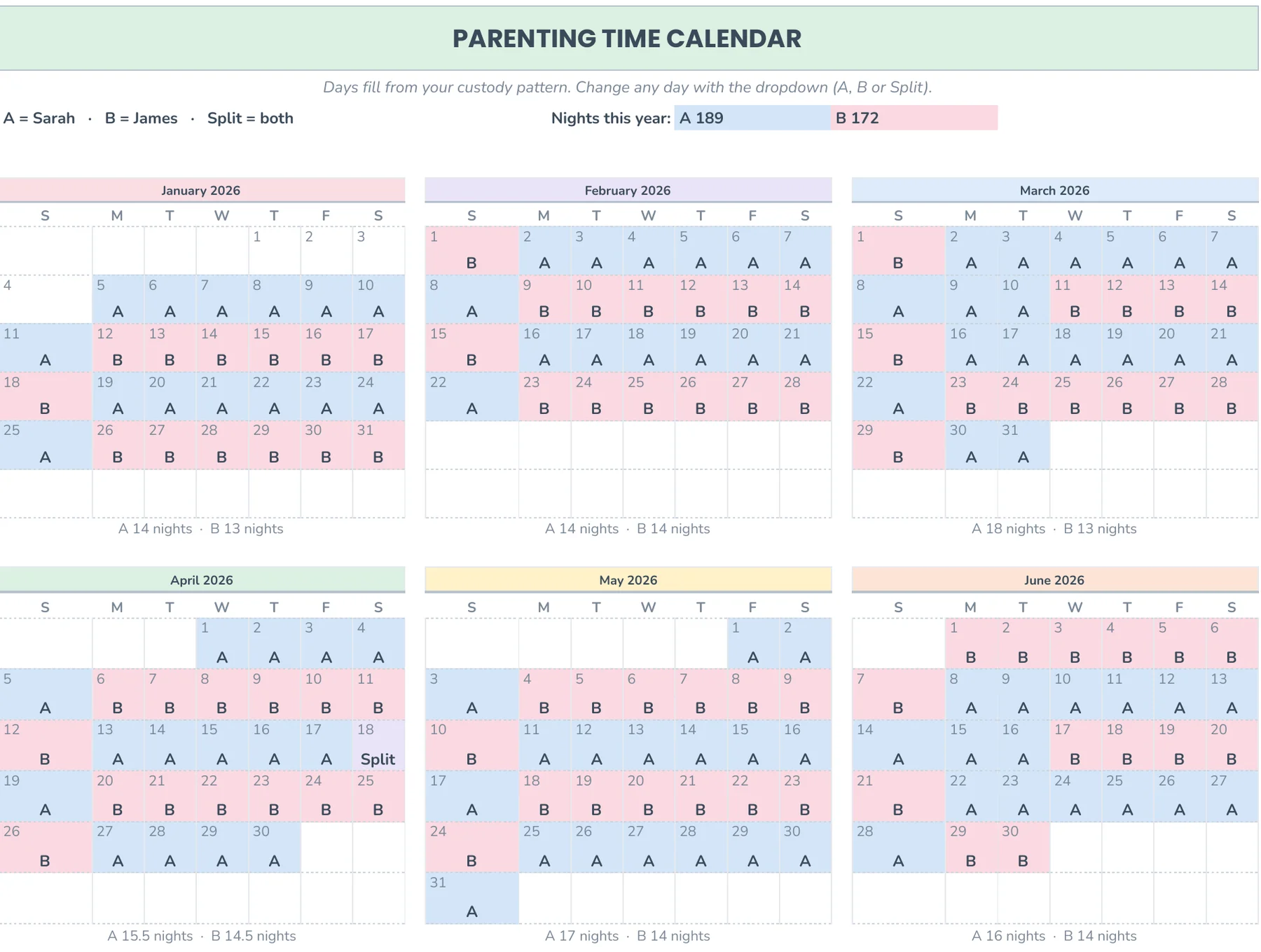
Parenting Time Calendar

Pick week on/week off, 2-2-3, 5-2-2-5 or alternating weekends. The year fills in and counts the nights.

Exchange and visit log with on time, late and cancelled rows in different colors

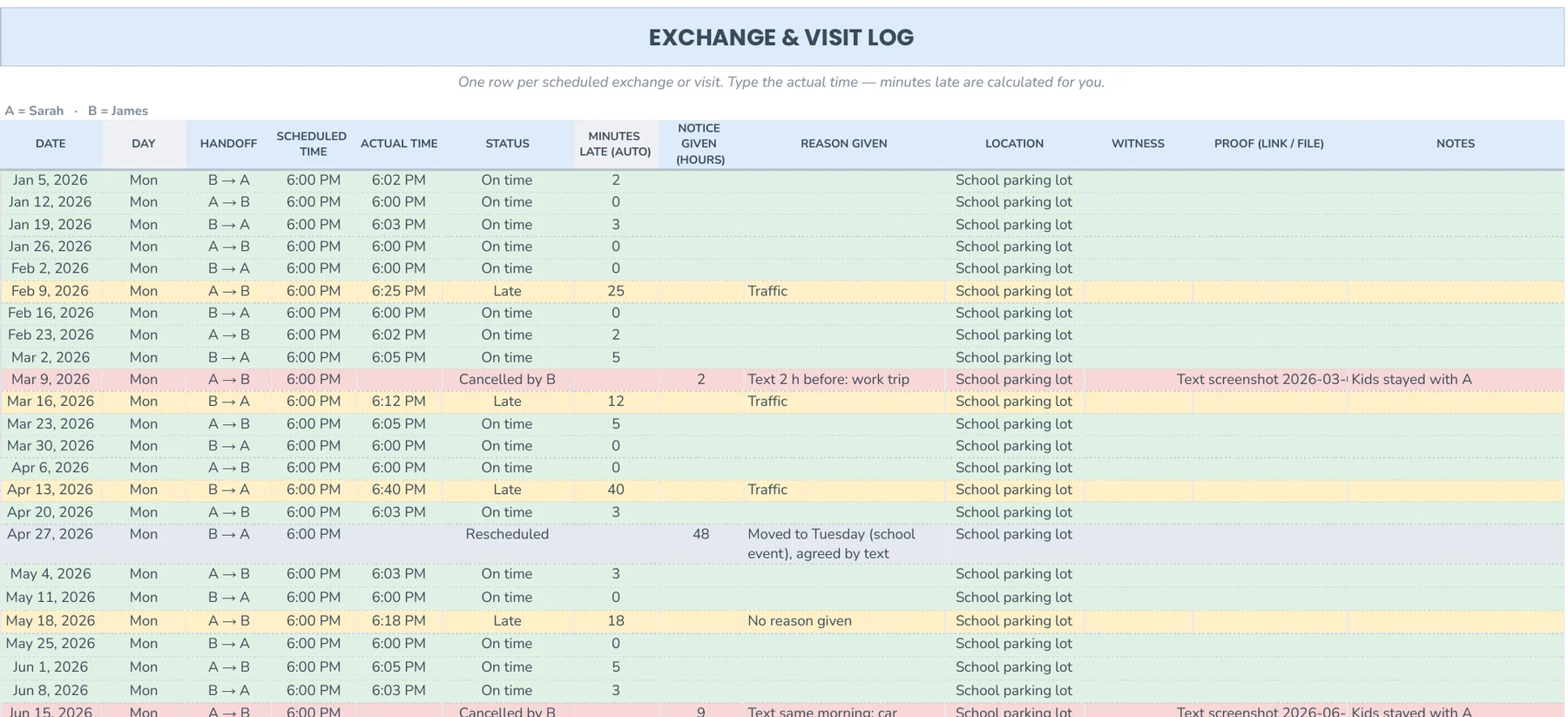
Exchange & Visit Log

Scheduled vs actual time, status, notice given, witness and proof for every handoff.

Communication log with channel, topic, factual summary and response time

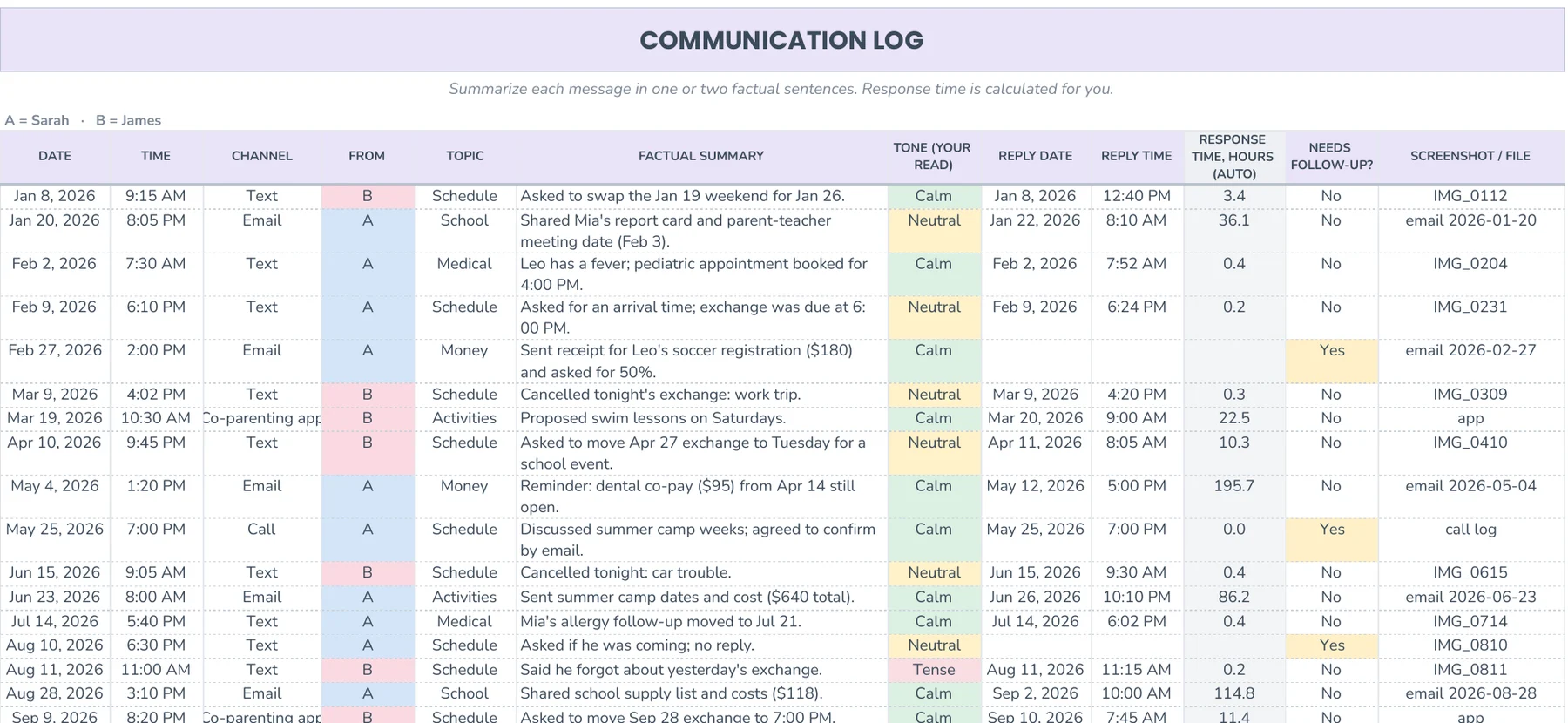
Communication & Call Logs

One factual line per message with the date, response time and where the screenshot is saved, plus the children's scheduled calls.

Shared expenses log with split, reimbursement status and open balance

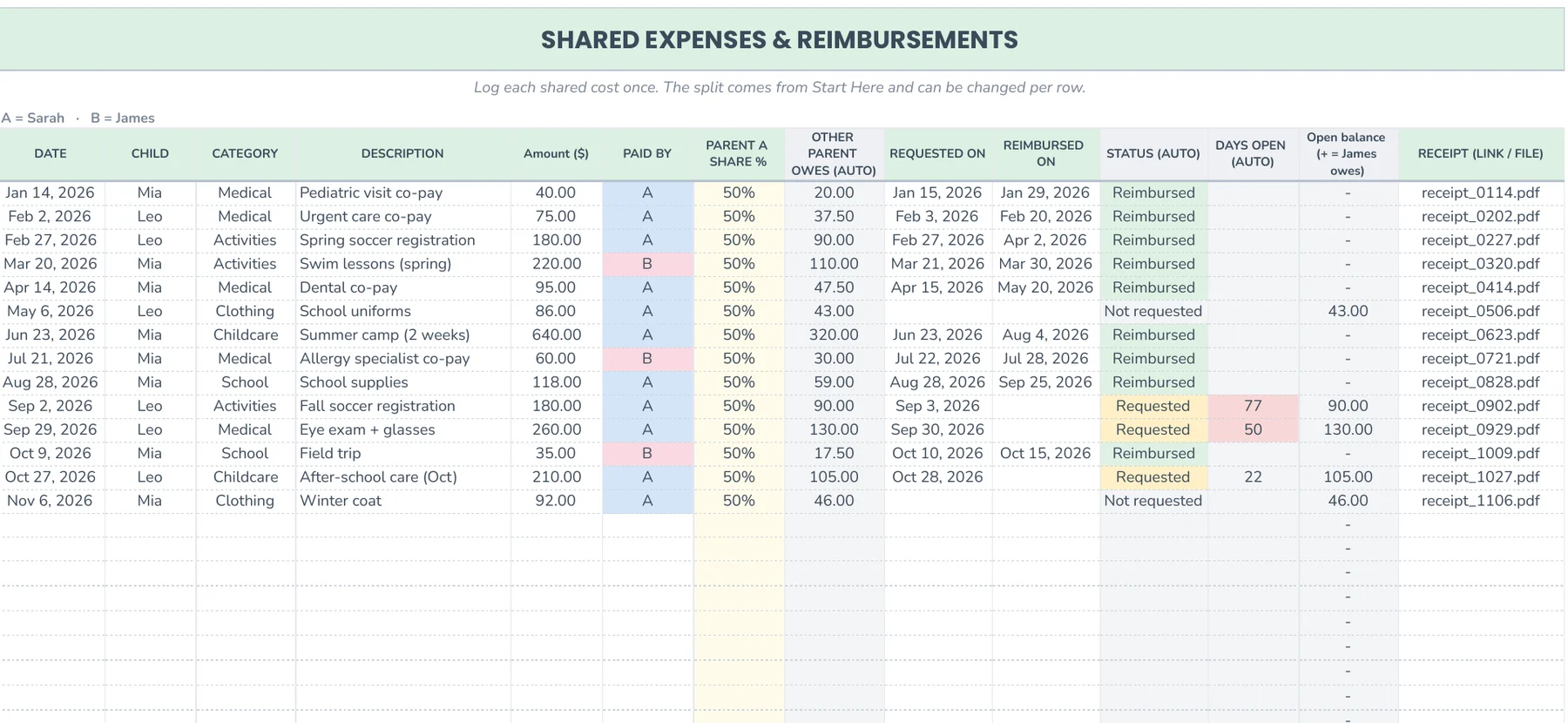
Expenses & Child Support

Who paid, the split, what was requested, what came back and the running balance.

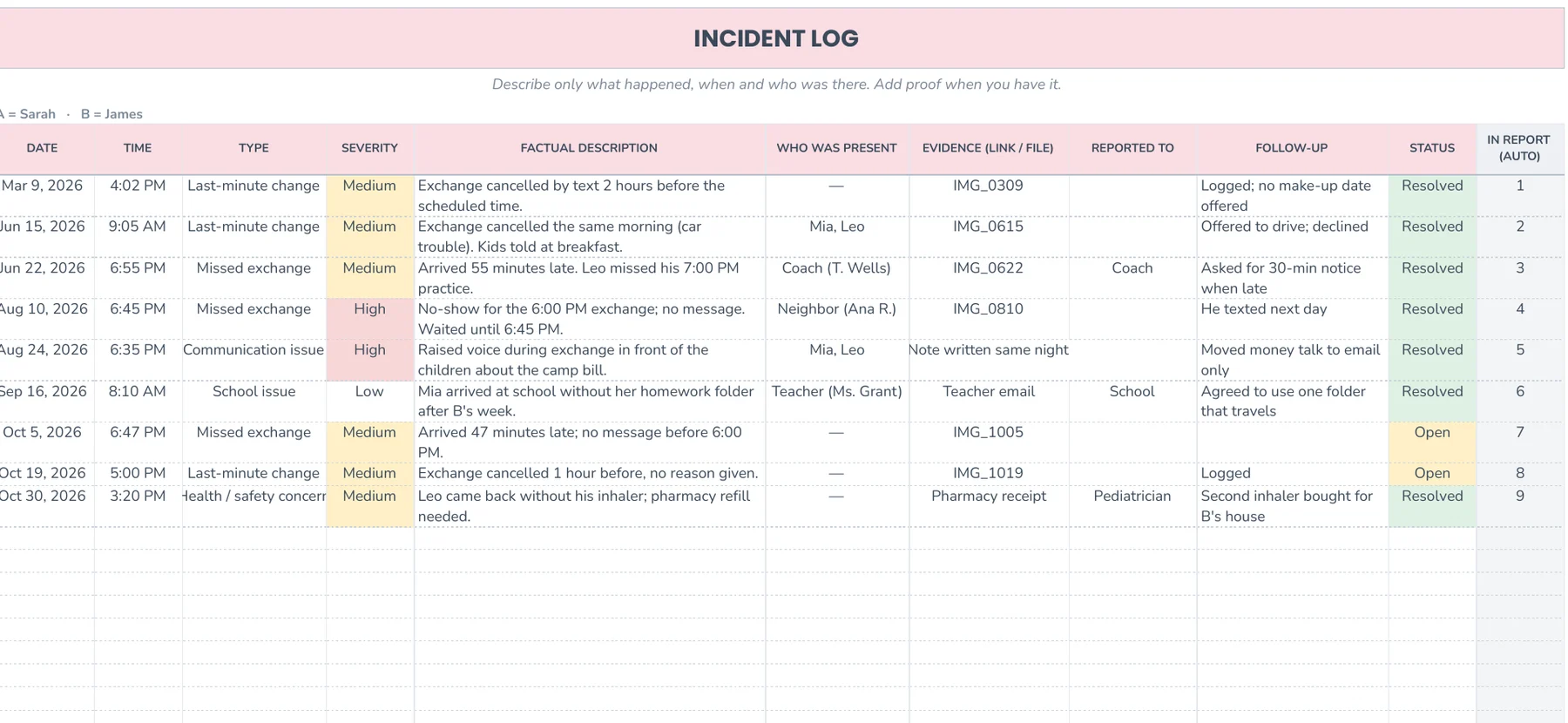
Incident log with type, factual description, who was present and evidence

Incidents, School & Changes

Incidents with severity and status, school and medical visits, a child info sheet for both homes, and every schedule change in writing.

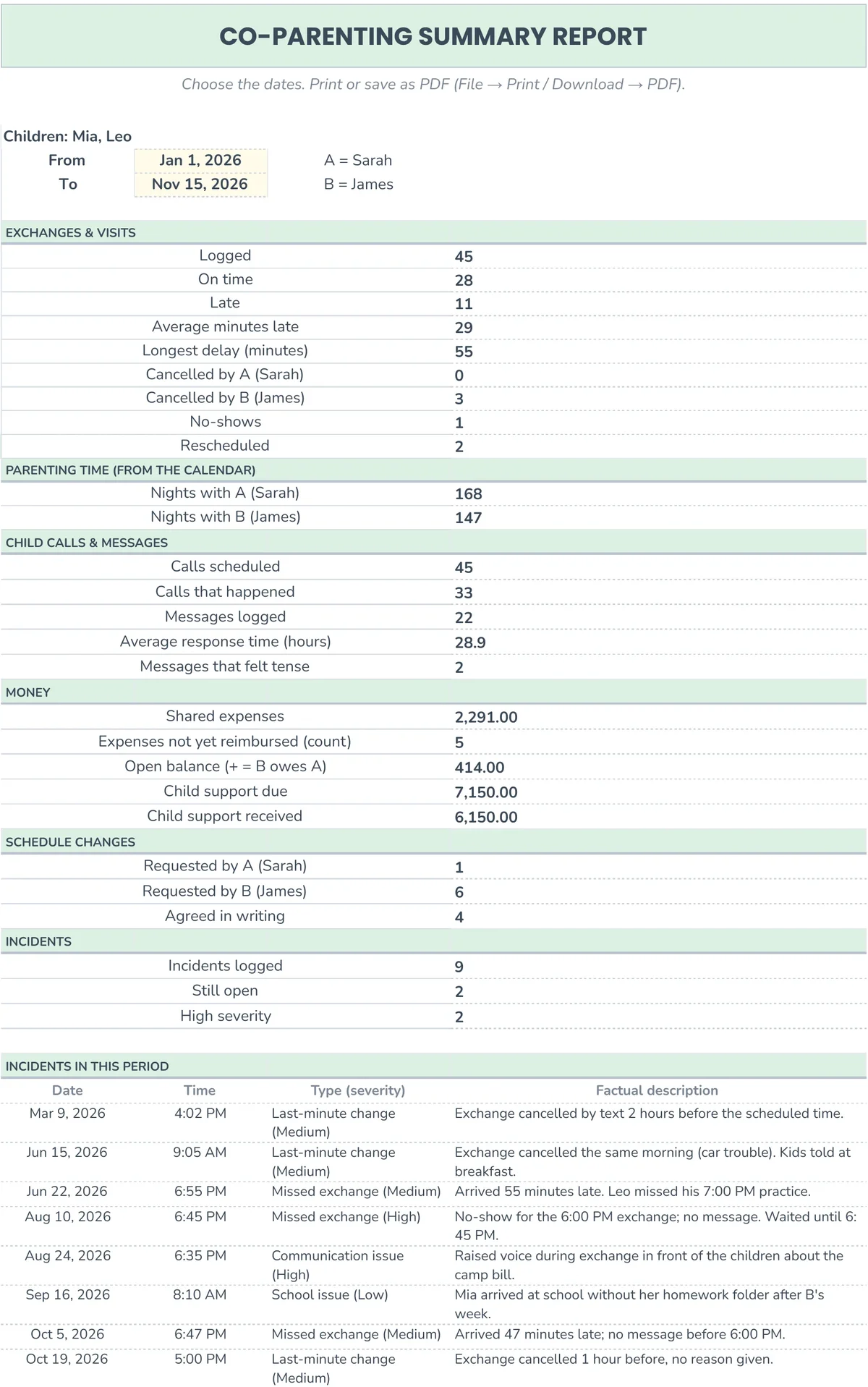
Printable co-parenting summary report for a chosen date range

Summary Report

Choose a date range and print one clean page with the totals and the incident list.

The spreadsheet does the counting

Real screens from the kit, filled in with an example family. Tap any picture to zoom.

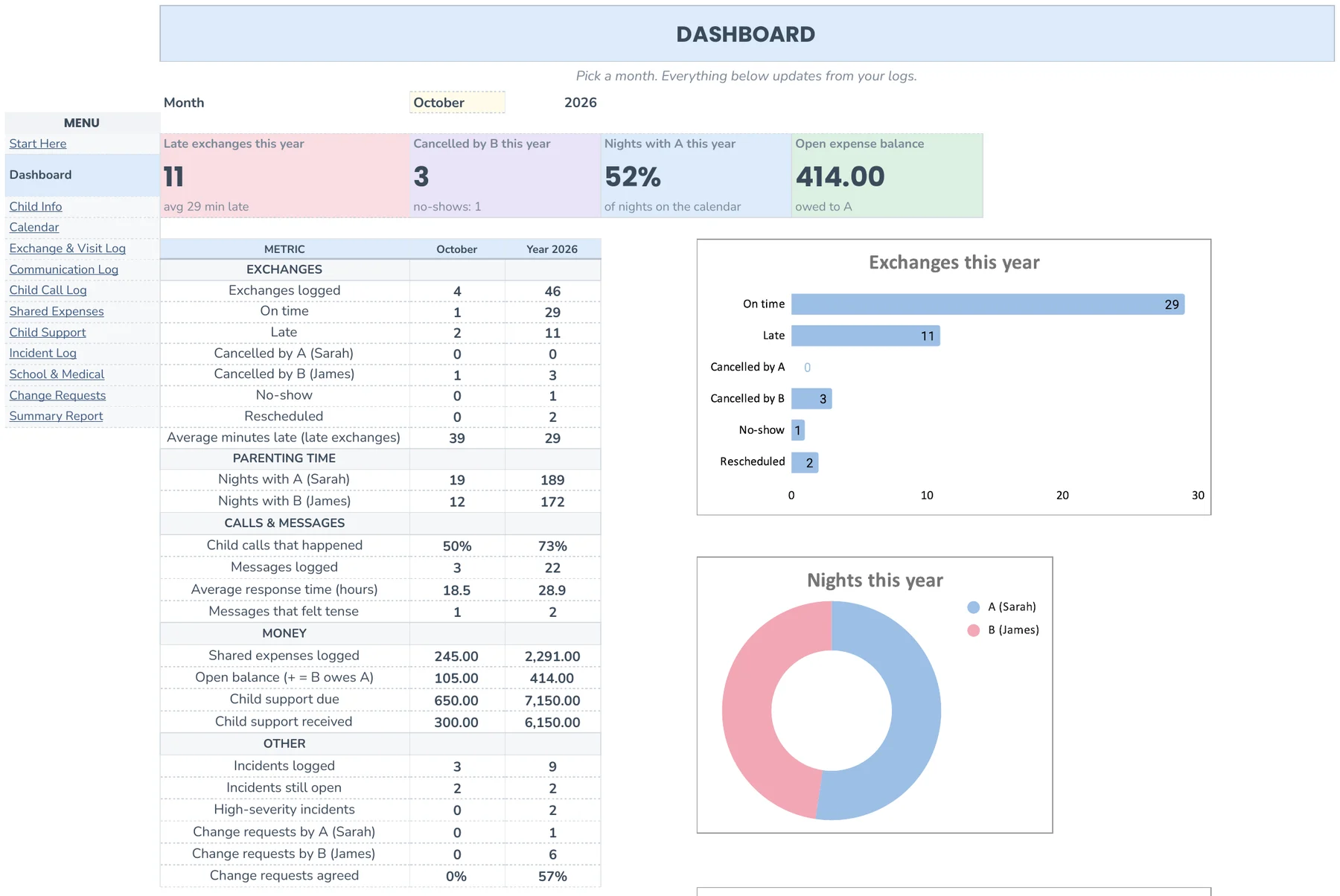
Dashboard

The year at a glance

Late exchanges, cancellations, share of nights and open balance. Pick a month and every number updates from your logs.

Dashboard cards: 11 late exchanges, 3 cancelled, 52% of nights, 414.00 owed
Exchange log

Type the actual time. The minutes late appear.

Choose the status from a list and the row changes color: on time, late, cancelled, no-show or rescheduled.

Exchange log rows with minutes late calculated automatically
Calendar

Type the year. The calendar rebuilds.

Set your custody pattern once. Change any day from a dropdown when plans change, and the night count follows.

Twelve-month parenting time calendar with nights per parent
Shared expenses

Who paid what, and who still owes

Enter the amount and who paid. The split, the days a request has been open and the balance are worked out for you.

Expenses with reimbursed, requested and open items
Summary Report

One clean page instead of a pile of screenshots.

Choose the dates and print it or save it as a PDF. It pulls everything together:

  • Exchanges on time, late, cancelled and missed
  • Nights with each parent
  • Calls, messages and response times
  • Expenses, reimbursements and child support
  • Every incident in the period, in date order
Summary report page with totals and incident list

Set up in 5 minutes

1

Make your copy

Click "Make a copy" for Google Sheets, or download the Excel file. Add names, the year and your custody pattern.

2

Log it as it happens

Open the tab on your phone and add a row. Facts only: what happened, when, who was there.

3

Print the report

When you need it, pick the dates and print the summary for your attorney or mediator.

Why a spreadsheet, not another app?

This kitCo-parenting apps
Price$4.99 onceOften a yearly subscription
The other parent has to joinNoDepends on the app
Your recordsIn your own Drive or computerOn the app's servers
Change columns and listsAnything you wantFixed

Is it for you?

Made for parents who
  • share custody and want one organized record
  • are heading to mediation or a custody review
  • split costs and lose track of who owes what
  • keep losing visits to last-minute cancellations
  • want to track child support received or paid
Not for you if you want
  • legal advice (talk to an attorney)
  • an app that messages the other parent for you
  • a tool that decides anything for you

Co-Parenting Documentation Kit

Co-Parenting Documentation Kit: 13 tabs for Google Sheets and Excel
13-tab spreadsheet for Google Sheets and Excel
Parenting time calendar with custody patterns
Printable Summary Report
Filled-in example + blank copy + quick-start guide
One-time payment$4.99
Card, Apple Pay, Google Pay · Secure checkout by Stripe

If your files don't work, email us and we'll fix it or refund you.

Questions

Does it work on my phone?

Yes. Open your copy in the free Google Sheets app and add a row in seconds. The Excel version works in Excel on your computer.

Google Sheets or Excel?

Both are included. Google Sheets is free with a Google account; the Excel file works in Excel 2019 or newer and Microsoft 365. No macros.

Where are my records kept?

In your own Google Drive or on your own computer. We never see what you type.

Will the other parent see it?

Only if you share it. Your copy is private to you.

Does it work in my country?

Yes. Pick your currency symbol in the settings. The labels are in English and you can rename them.

Will a judge accept this spreadsheet?

Think of it as an organized timeline for you and your attorney, not as evidence on its own. The proof is the original texts, emails, receipts and records; the kit helps you find them fast, because every row says when it happened and where the screenshot or file is saved. Your attorney decides what to present.

Is this legal advice?

No. It's an organizational tool. Ask your attorney which records your court accepts and how to present them.

How do I get it?

Right after checkout you see your files page, and we email you the links too. Click "Make a copy" for Google Sheets, or download the Excel file.

What if it doesn't work for me?

Email us at hello@coparenting.shop. If your files don't open or a link doesn't work, we'll fix it or refund you. See our refund policy.

This kit is an organizational tool, not legal advice. Ask your attorney what records your court accepts. Screens show a fictional example family.